Car Identifier App: What It Can (and Can't) Tell You From a Photo
How a car identifier app recognizes make, model and year from a photo, how accurate it is, and how to get reliable results even with rare or modified cars.
By Ayoub Farid · · 3 min read
You see a car at a light, at a show or in an old family photo and want to know what it is. A car identifier app lets you point your camera at it and get the make, model and year range in seconds. Here's what these apps actually do, how accurate they are, and how to get better answers.
How car identifier apps work
Car identifiers use image-recognition models trained on huge numbers of car photos. From a single picture, the model looks at:
- Overall silhouette: sedan, coupe, hatch, SUV, roofline and proportions.
- Front and rear design: grille shape, headlight and taillight signatures. See identifying cars by their lights.
- Badges and logos, when visible. See identifying cars by badge.
- Details like mirror shape, window lines and wheel designs that separate one generation or facelift from another.
The app then returns its best match and, in better apps, a confidence score and alternatives.
What a good result includes
- Make and model, e.g. Mercedes-Benz C-Class.
- Generation, the internal code like W205. This matters because two C-Classes ten years apart are completely different cars. See generation codes explained.
- Year range, e.g. 2015 to 2018, rather than a single year that can't be known from a photo.
- Key specs: engine, 0–60 mph, top speed and a typical price range.
- Confidence and alternatives, so you know when to double-check.
How accurate are car identifier apps?
Accuracy depends on the car and the photo far more than on the app's marketing:
| Situation | Typical result |
|---|---|
| Common car, clear three-quarter photo | Usually correct, often to the generation |
| Enthusiast and sports cars | Usually correct; facelift years may be close calls |
| Badge-engineered twins (same car, different brand) | May pick the sibling; check the badge |
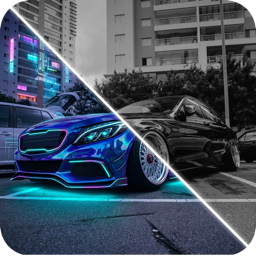
| Heavily modified cars | Harder; see identifying modified cars |
| Rare classics and kit cars | Hit or miss; use alternatives as leads |
| Blurry, far or partial photos | Low confidence, wider guesses |
That's why an honest app shows a confidence score instead of always sounding sure.
Getting better results
- Get the front or rear three-quarter view. It shows the most identifying features at once.
- Fill the frame. Zoom or walk closer; a car that's 40 pixels wide can't be identified reliably.
- Include the lights. Headlight and taillight shapes separate facelifts.
- Try a second photo if confidence is low.
- Use the alternatives. If the top result looks wrong, the right answer is often second.
Photo ID vs VIN
A photo tells you the model. Only a VIN tells you the exact trim, engine and history. If you're buying, use both. See VIN decoder vs photo car ID.
Try it on your own car
CarForge identifies cars from a camera shot or a library photo, showing make, model, generation, year range, engine, 0–60, top speed and a typical price, plus a confidence score and alternatives when it's not sure. Every scan is saved to your Garage. When you've identified a car you love, you can redesign it in the same app; start with our AI car design guide.
Frequently asked questions
What is the best way to identify a car from a picture?
Use a car identifier app with a clear three-quarter photo showing the lights, then confirm the year range using the generation code and badge details. Our full guide covers 5 ways to identify a car from a picture.
Can a car identifier app tell the exact year?
Usually it gives a year range for the generation or facelift. The exact year needs the VIN or registration documents.
Do car identifier apps work on motorcycles and trucks?
Many work on trucks and SUVs. Motorcycle recognition is less consistent across apps.
Why did the app give the wrong car?
Usually the photo is too small, blurry, at an awkward angle, or the car is modified or badge-engineered. Try a closer three-quarter shot and check the alternatives.
Try it on your own car
Identify any car. Redesign yours in seconds.
Snap a photo to get the make, model and specs, or try paint, wraps, wheels, body kits and 16+ AI styles on your own car. On iPhone and iPad.
Download CarForge